

Shared hosting can be a sensible starting point for a low-traffic, straightforward website. But when a business relies on its site for enquiries, online sales, campaigns, client portals or day-to-day credibility, the question changes from “What is cheapest?” to “What capacity, control and support does this workload actually need?” This guide explains the decision without treating dedicated hosting as a compulsory upgrade for every business.
Shared hosting can be sensible — until the workload changes
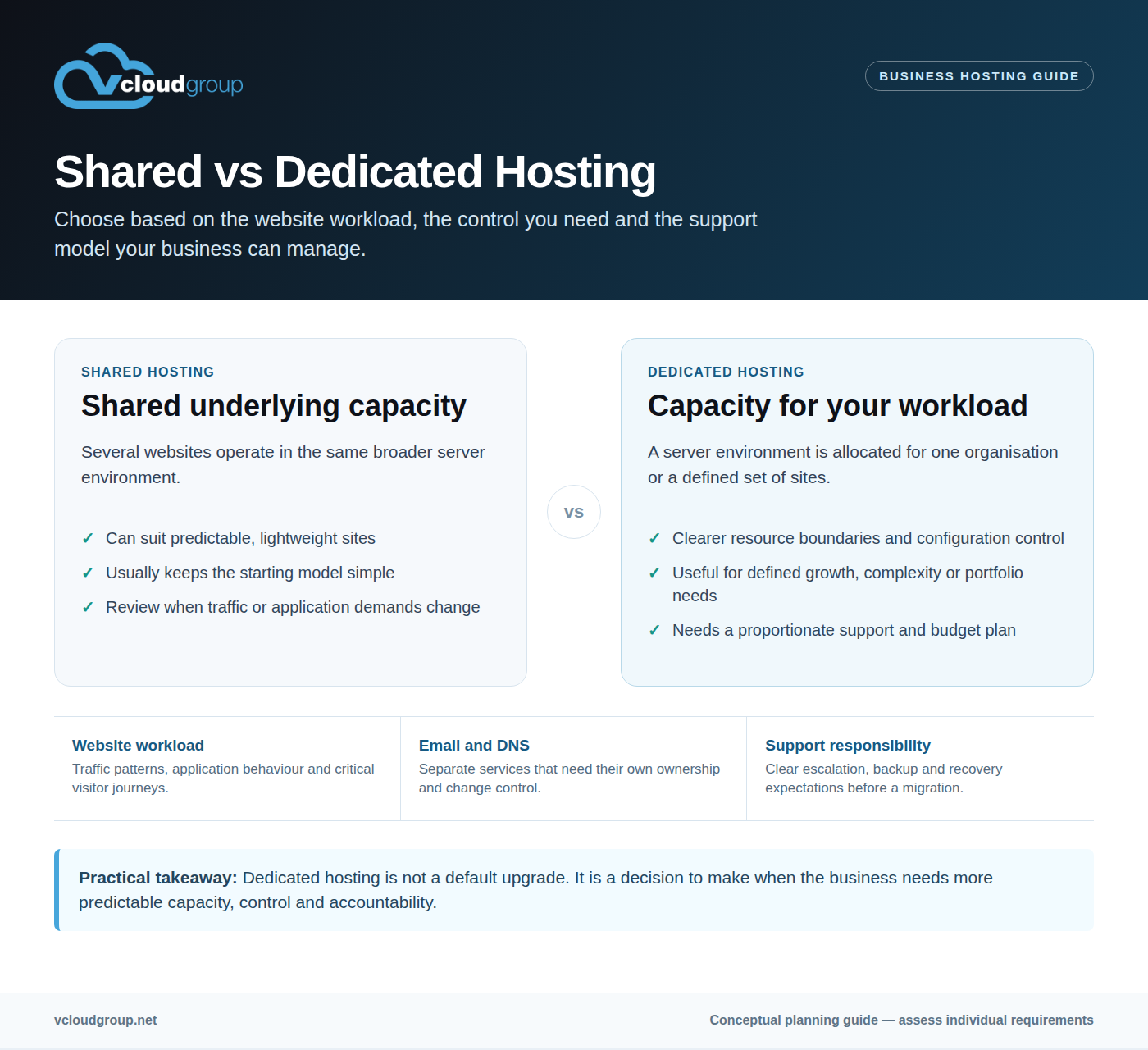
Shared hosting places several websites on the same underlying server environment. That arrangement can keep entry costs lower and removes much of the infrastructure administration for a small organisation. A brochure-style site with steady traffic, few integrations and no performance-sensitive transactions may operate perfectly well in that setting.
The problem is not that shared hosting is automatically “bad”. The problem is assuming that the arrangement will remain suitable after the website becomes more useful to the business. A new advertising campaign, an online booking flow, larger media files, a growing product catalogue, more plug-ins or a busy client area can all change the demand placed on the site. The hosting decision should follow the workload, not a label on the original plan.
What changes when websites share finite resources
In a shared environment, websites can draw from the same broad pool of processing, memory, storage and network capacity. That does not mean one neighbour will always slow another down. It does mean that peaks in demand, inefficient code, unexpected traffic or a resource-heavy process elsewhere in the environment can become relevant to the experience of visitors on your site.
For a business owner, the visible symptom is often simple: a page that was fine last quarter now feels slow during a promotion, a form takes longer to respond, or the team cannot tell whether a delay sits with the website, the application, the database or the hosting environment. Those are troubleshooting questions, not proof that a dedicated server is the only answer.

A useful review separates symptoms from causes. Start with page speed, application errors, database behaviour, image weight, cache configuration, plug-in quality and traffic patterns. Then ask whether the current environment has the right headroom and access controls for the way the website is actually used. This avoids replacing a plan without fixing an avoidable site-level problem.
Website, email and DNS are connected — but they are not the same service
Business websites, email and DNS are often discussed as if they were one product. They are connected, but they are different layers. Web hosting serves the website and its application. Email hosting or a mail platform handles mailboxes and message delivery. DNS tells browsers and mail systems where the relevant services should be found.
That separation matters when a business is diagnosing a problem. Moving a website to a more isolated server may address a genuine website-capacity issue. It will not automatically correct a mail configuration, a DNS record, a domain renewal problem or an external service outage. DNS incidents have made otherwise available websites unreachable, which is why DNS ownership, records and change control need their own deliberate review.
For the same reason, avoid promises that one hosting package makes email and DNS “fast” or permanently immune to interruption. A better business conversation is to map the domain, website, email provider, DNS zones, backups, support responsibilities and escalation route. When something fails, the right person can then investigate the right layer.
This is also where a managed provider can add clarity. A practical handover record should identify who can change DNS, where mail is hosted, which systems send transactional messages, how website backups are restored and who has authority to approve a migration. It reduces the chance of a business owner becoming the go-between when an urgent issue spans more than one supplier.
A dedicated server is a control decision, not a badge of maturity
Dedicated hosting gives an organisation use of a server environment that is not shared with unrelated websites. That can offer clearer resource boundaries, more configuration control and a platform that can be sized around a known application or portfolio of sites. It can also introduce additional cost, responsibility and technical decisions. Dedicated is not automatically the next logical step for a new or lightly used website.
The right question is whether the business needs a more predictable and controllable environment. For example, a reseller or developer managing many domains, a growing ecommerce site with performance-sensitive checkout flows, a company operating a custom application, or a business with a defined compliance or change-control requirement may have a stronger case for reviewing dedicated infrastructure.
vCloud Hosting presents its dedicated professional hosting options as a route for businesses, web developers and resellers that need more control, while also recognising that smaller plans can make sense before a dedicated server is justified. That is the correct order of decision: understand the need, then choose the level of hosting that fits it.
Signs it is time to review the hosting arrangement
A review is worth considering when:
- the business depends on website enquiries, bookings, sales or portals and the site becomes inconsistent during meaningful traffic periods;
- developers or internal teams need configuration choices the current plan does not safely support;
- multiple domains, client sites or applications need clearer separation and accountable change control;
- the website has outgrown simple caching and image optimisation, but no one has assessed the underlying workload;
- the organisation cannot clearly explain where its website, email, DNS and backup responsibilities sit.
These signals are prompts for assessment, not automatic evidence that shared hosting has failed. A staged approach may be more appropriate: improve the website first, measure the workload, review available plan limits, then decide whether better-tuned shared hosting, a virtual server or dedicated infrastructure is the sensible next step.
Plan a safe hosting migration, not just a server purchase
A hosting move is a controlled change to a live business service. The work should start with an inventory rather than a checkout screen. Record every domain, subdomain, website, database, mailbox dependency, third-party form, payment connection, scheduled task, SSL certificate, backup location and DNS record that supports the site. If an item is missing from the inventory, it can be missed during the move.
Set a practical migration sequence. Take a restorable backup, confirm who can approve DNS changes, create the target environment, test the website on a temporary address, check forms and transactional messages, then plan the DNS change in a quiet period. Keep the previous environment available until the business has confirmed the important user journeys. This does not guarantee an incident-free move, but it creates a clear rollback path and avoids rushing critical changes through a business owner’s inbox.
Support accountability matters as much as capacity. Before a move, agree who is responsible for the server operating system, application updates, monitoring, backups, restores, DNS records and the handover between a development partner and the hosting provider. A business should be able to identify the right first contact without reconstructing the whole technical design during an outage.
Do not blame hosting before you inspect the website
A slow website may be affected by oversized images, too many plug-ins, unoptimised queries, an outdated theme, poor caching, third-party scripts, problematic integrations or a server environment. Hosting and website design should be reviewed together. Moving an inefficient site to stronger infrastructure can make an immediate difference, but it may also leave avoidable complexity and cost in place.
Start with a basic technical picture: the important pages, traffic peaks, current hosting model, page-weight profile, application errors, integrations, required uptime window, backup expectations and support ownership. That picture makes it easier to ask useful questions of a provider and compare options without buying capacity that the business does not need.
It also helps to separate a website’s public marketing pages from critical journeys such as customer logins, booking forms, payment steps and client portals. Not every page needs the same performance target, but the business should know which delays are commercially significant. That conversation produces a more useful brief for a developer or host than the vague instruction to “make the site faster”.
Review the measures after changes are made. Check whether the original bottleneck has moved, whether the site still behaves well when visitors arrive at the same time, and whether internal teams can maintain the environment. A capacity increase that makes the immediate symptom disappear is valuable only if the team also knows how the new arrangement will be monitored and supported.
When a website rebuild belongs in the hosting conversation
Sometimes the hosting plan is only one part of the issue. If the business is running an old website, duplicated plug-ins, a slow theme or a structure that no longer supports how customers find and use information, rebuilding or converting the website can be more valuable than simply upgrading the server.
A redevelopment should still start with practical discovery: what the website must do, which pages convert, what integrations are essential, how content will be managed and which performance or security requirements genuinely matter. That work gives the hosting decision a clearer foundation and avoids a rebuild that repeats the same operational constraints.

For a website redevelopment, copy or AI-assisted conversion, vCloud Group’s development partner AI by Design offers a guided starting point for a website or landing-page brief. The purpose is not to promise that an AI website solves every infrastructure issue; it is to align the site’s structure, content and technical needs with a hosting approach that can support the finished product.
Keep the decision connected to the wider IT environment
A business website rarely operates alone. It may depend on office internet access, identity accounts, email security, cloud storage, customer relationship tools and external suppliers. When hosting is reviewed in isolation, those dependencies are easy to overlook. When it is reviewed alongside the wider technology environment, the business can make a clearer choice about ownership, support boundaries and the practical steps needed before any migration.
The broader vCloud Group services overview is useful context for teams that want to map hosting beside cloud, support and connectivity considerations. The goal is not to bundle unrelated products into a hosting decision. It is to make sure the website’s technical home is understood within the systems that support the business every day.
Related reading: our previous guide on why hand-balling IT support costs Australian businesses thousands explains how single accountability protects technology operations.
Use a practical decision checklist before changing plans
Before committing to a hosting change, document the business requirement in plain language. What does the website need to handle on an ordinary day and during a campaign? Which pages or transactions are critical? Is the problem visible to every visitor or only logged-in users? Who owns the domain and DNS? Where does email sit? What backup, recovery and support response does the business actually expect?
Then compare the answers against the current environment. If the website is small, stable and lightly used, shared hosting may continue to be a good fit. If the workload has become more complex or business-critical, a more controlled environment may be justified. The goal is not an expensive server for its own sake. It is a hosting arrangement that is understandable, supportable and proportionate to the work the business asks the website to do.
Key Takeaways for Business Web Hosting
- Shared hosting can suit straightforward, predictable sites; review it when the website’s workload or business reliance changes.
- Resource capacity, website quality, email and DNS are related but separate operational considerations.
- Dedicated hosting is most useful when a business needs clearer control, capacity and accountability for a defined workload.
- A website rebuild should be considered alongside hosting when design, content or application complexity is part of the performance problem.

Ready to Build a Website That Matches Your Hosting?
If your website needs a redevelopment, copy or conversion to an AI website before its hosting is reviewed, start with an AI by Design project brief. For dedicated hosting and growth-stage options, review the vCloud Hosting service information alongside your technical requirements.