

A provider relationship changes. A website move begins. A domain renewal email is missed. Someone discovers that the business cannot reach the Microsoft 365 administrator account. Those moments expose a problem that is easy to overlook while everything is working: the systems that support a business can be managed by a provider, but they still need to remain accessible to the business.
This is a practical guide to business digital asset ownership. It is not a call for every business owner to become the daily administrator of every system. It is a call for the business to know what it owns, where each account is held, who can make a change, who can recover access and what happens if a provider relationship, staff role or platform changes.
For Australian SMEs, that record commonly needs to cover five connected assets: the domain name, web hosting, website, Microsoft 365 management and backup. They are different systems with different risks, yet a gap in one can affect the rest. A missed domain renewal can interrupt web and email services. A website migration can stall when hosting access is unclear. A Microsoft 365 handover can become difficult if the tenant’s recovery path lives only in one person’s inbox. A backup is of limited value if nobody can identify what it protects or restore it when needed.
Control is not the same as doing the technical work yourself
Healthy provider relationships are built on delegated access, not hidden access. A specialist can maintain services, apply approved changes and respond to incidents while the business retains an understandable, documented route to its own accounts.
The important distinction is between a provider having the access needed to support a platform and a provider being the only party who can prove ownership, approve a billing change or initiate recovery.

For each platform, write down the business owner, the approved provider role, the account or portal used, the recovery contact, the billing or renewal contact and the most recent access review. A password manager or protected internal register can hold the details; the important part is that the arrangement is known, current and not dependent on one unnamed individual.
This approach also creates a better working relationship. The business can approve what matters, the provider can work within documented authority and both sides have a clearer reference when a staff member leaves, a service is transferred or an urgent issue arrives outside normal hours.
The five digital assets to put on one ownership record
Start with a simple owner-and-access register. It does not need to be a complex audit project. Its purpose is to make an everyday business question easy to answer: if we had to renew, change, recover or move this system today, who can act and what information would they need?
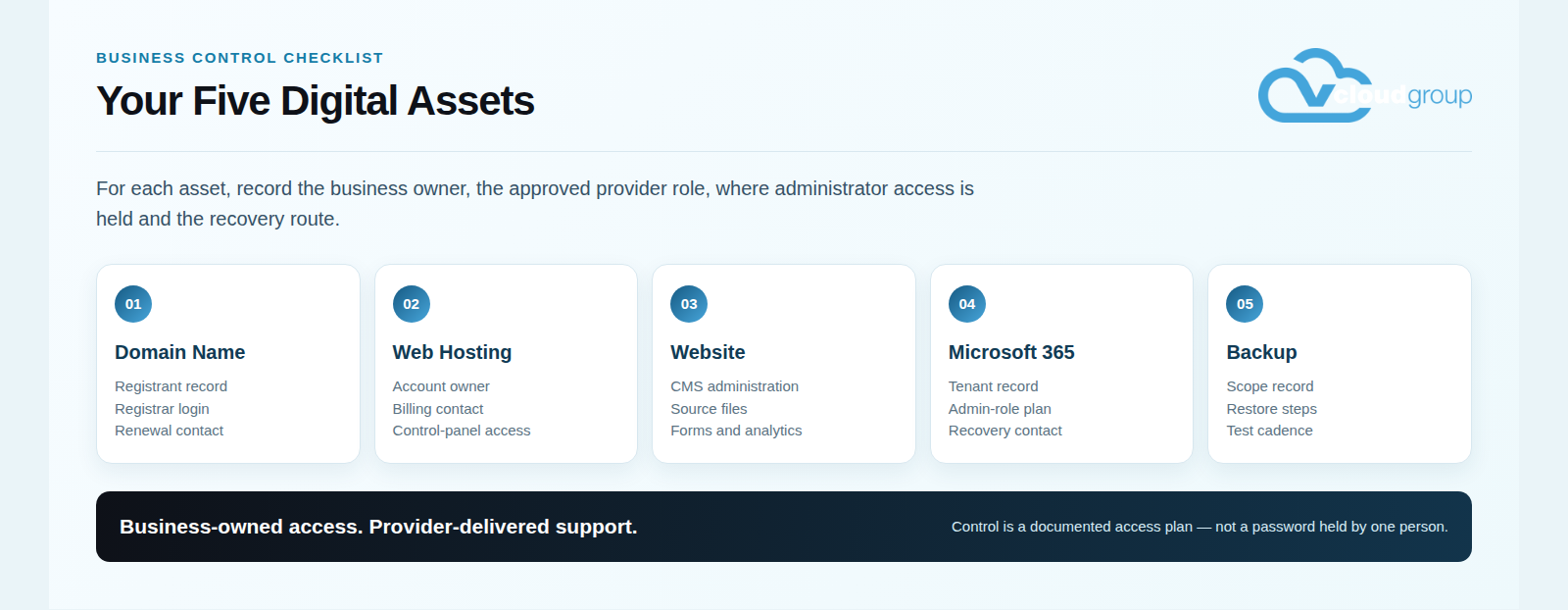
The five assets are connected, but they should not be collapsed into one vague “IT account”. Each one has its own service record, access path and renewal or recovery responsibility.
A useful register makes the dependencies visible before a website, email or recovery incident turns them into a time-critical investigation.
1. Domain name
A domain name is the internet address customers use to find a website, and it can also underpin business email. It is usually registered through a registrar or reseller, while the website can be hosted elsewhere. Record the registrant details, registrar account, renewal contact, billing contact and the person authorised to approve changes. That makes it easier to distinguish domain and website ownership from the separate technical services that use the domain.
2. Web hosting
Web hosting is the environment that serves the website’s files, database and configuration. Keep a record of the account owner, hosting control-panel access, billing authority, support authorisation and the way DNS connects the domain to the hosting service. This does not mean sharing privileged details broadly. It means the business has a controlled, recoverable route to the account if a redevelopment, incident or provider change needs it.
If hosting capacity, DNS and website performance are part of the current question, the related business hosting guide explains why those components should be considered together rather than as one generic website cost.
3. Website
A website is more than a live URL. It can include a content-management system, approved administrator accounts, theme or design files, integrations, web forms, analytics, customer enquiry routes and a database. Record who can administer the site, where the current source or export is kept, which provider has deployment access and how an approved business representative can retrieve the assets. That avoids treating a website rebuild as the only option when the real issue is a missing access record.
4. Microsoft 365 management
Microsoft 365 can cover email, identities, files, Teams, domains, billing and administrator roles. The business needs an agreed route to tenant administration, while the provider should use only the permissions needed for the support task. Document who can reach the tenant, which recovery contacts are current, how administrator access is protected and how role changes are approved.
5. Backup
Backup is a separate asset because it is the recovery path for the records above. Record what is protected, where copies are held, how long they are retained, who can request a restore and when recovery was last tested. A successful scheduled job alone does not prove that the business can restore the right system, to the right point, in the time it needs.
Set access up at onboarding, not during an exit
The best time to establish access is when an asset is first created, a provider is first engaged or a significant platform is introduced. There is more time to confirm account names, recovery contacts, billing authority and approval limits before pressure enters the conversation.
That record should be reviewed whenever a supplier changes, a key staff member leaves, a new service is added or the business changes its legal or billing details.
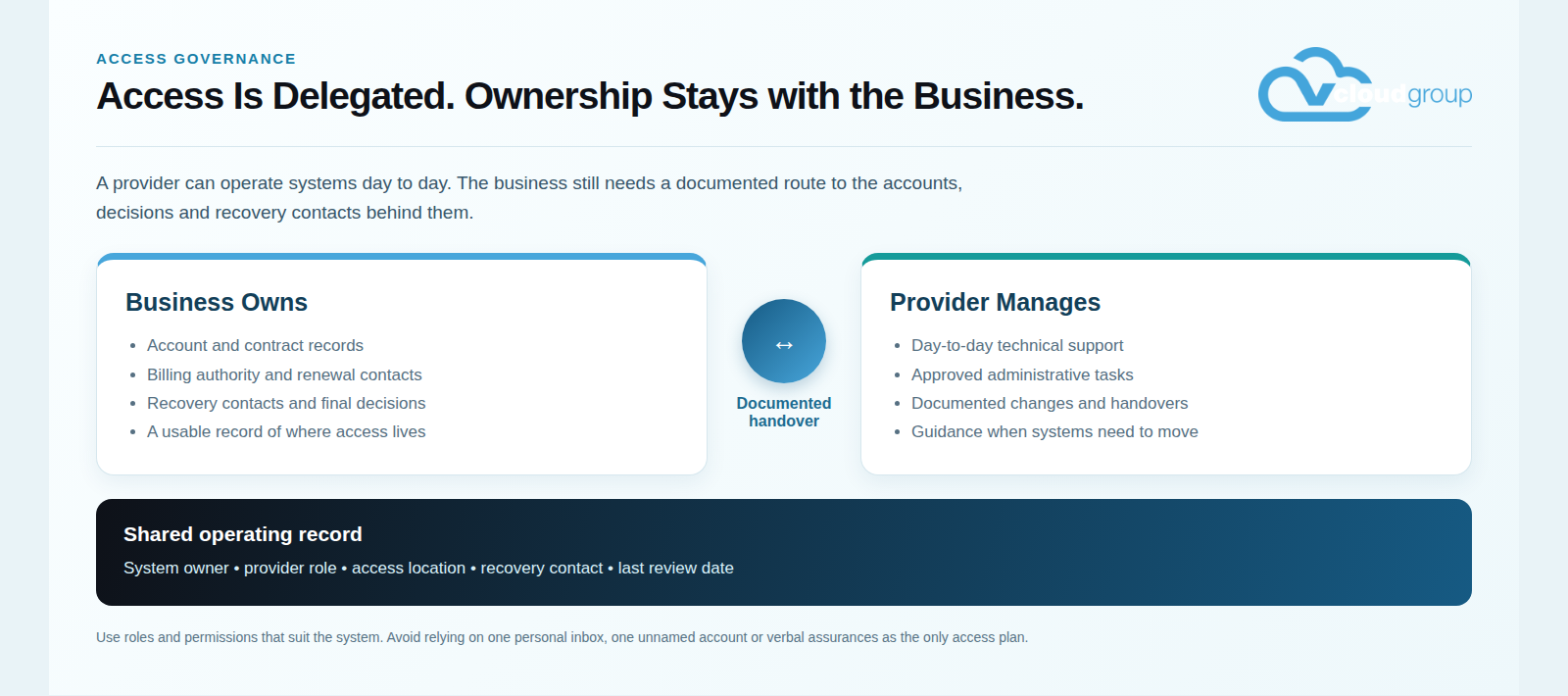
At vCloud Group, total transparency means making ownership, administration and change responsibilities visible from the start. A service provider should be able to explain what account exists, what access it has, what access the business should retain and how to request help or a handover. If an existing arrangement was set up before vCloud Group became involved, the first step is not to make assumptions about historical ownership. It is to map the current account, confirm what access already exists and agree on the practical path to restore a proper business record.
That also protects people. A business owner should not have to guess whether an employee’s personal email, a former director’s mobile number or a provider staff member’s private password vault is the only way into a critical service. The safer pattern is an approved business contact, a protected access method and a written record of the provider’s authorised role.
Treat Microsoft 365 admin access as a governed business capability
Microsoft 365 admin access deserves particular care because its administrative centre can involve users, licences, domains, billing, multifactor authentication, access roles and links to other admin centres. The business does not need a long list of people using powerful roles each day. It does need an agreed, protected way to reach the tenant when account recovery, billing, identity or provider arrangements require a decision.
Keep the daily support role proportionate to the work. Broad administrator roles can make changes across the tenant, so they should be limited, protected with multifactor authentication and used only by people who need them. The business record should identify the tenant’s recovery contacts and the approved process for escalating access when the ordinary support path is not enough.
It is also worth separating an administrative access plan from a personal work account. A handover becomes much easier when the business knows the tenant identity, the role model, the current recovery method and the controlled people or service accounts responsible for changes. That is clearer than trying to reconstruct a history from remembered passwords after a staff or supplier change.
Make backup part of the access conversation
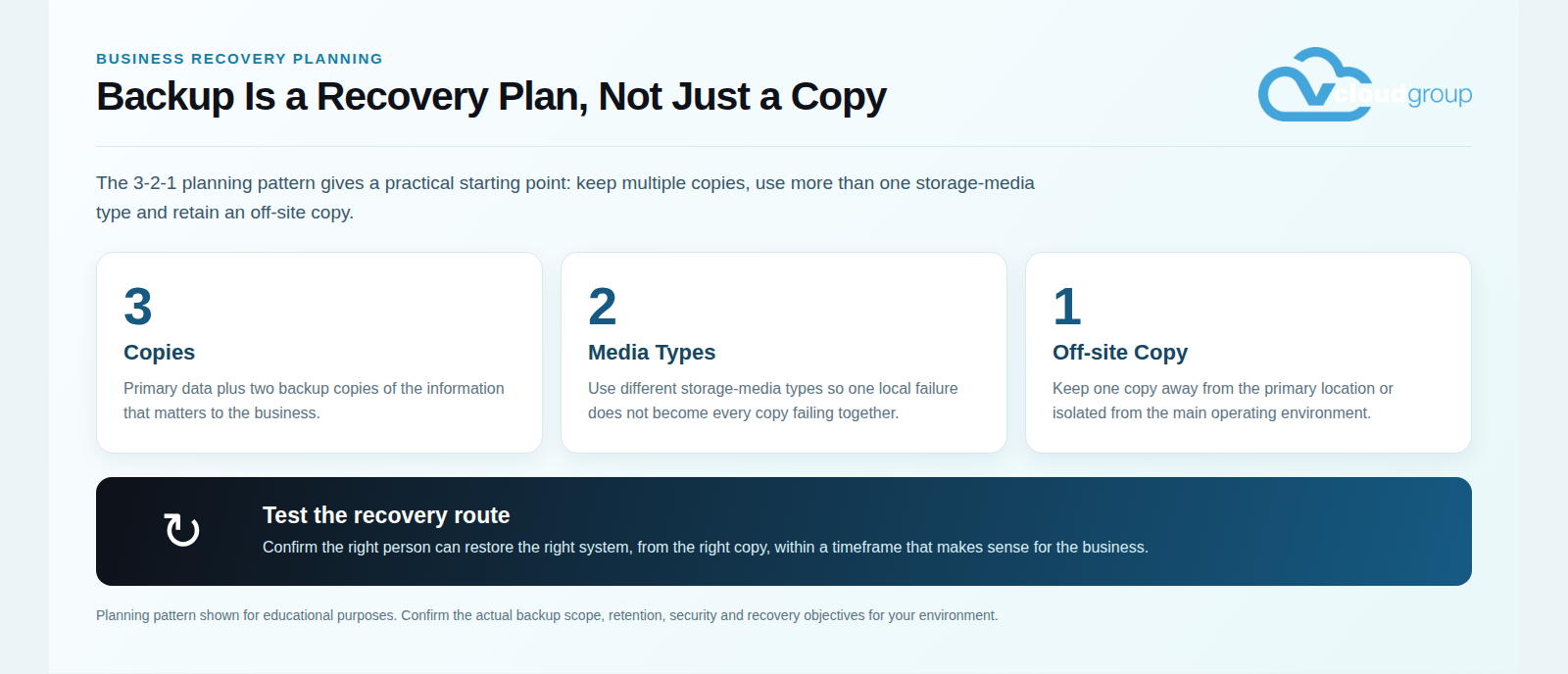
The 3-2-1 backup rule for business is a practical way to begin: maintain three copies of important data, use two types of storage media and keep one copy off site or isolated from the primary environment.
The rule is only useful when the business understands the scope and has a tested recovery route.
Ask focused questions: Which systems are included? Are website files and databases included? Are Microsoft 365 data and configuration included where required? Who can authorise a restore? What is the expected recovery point and time? When was a restoration last checked? The answers may differ between a website, a file platform and a line-of-business system, which is why a generic “yes, it is backed up” is not an operational record.
Keep the recovery instructions somewhere that remains available if the affected system is unavailable. For example, a website backup procedure that can only be read inside the failed hosting account does not provide much help during a hosting-access incident. The same principle applies to recovery phone numbers, billing contacts and multifactor recovery arrangements.
Current small-business guidance recommends keeping secure backup copies separately, following the three-copy, two-media, one-off-site approach and testing restoration on a schedule.
Turn the list into a one-page operating record
A digital asset access checklist can be simple enough to review in a regular business meeting. Create a row for each of the five assets. Add the service name, business owner, approved provider role, billing or renewal contact, recovery contact, access location, last review date and the next action. Link to the relevant internal documentation without placing sensitive credentials inside an unprotected spreadsheet.
Then decide who should confirm each row. Finance may know the billing authority. Marketing may know the website content and enquiry ownership. Operations may know which records must be recoverable. An IT provider can explain the technical access model. Bringing those perspectives together is often more useful than asking one person to reconstruct the whole environment alone.
Review the record after material changes, not only after a problem. That can include a new website, a domain transfer, an acquisition, a new Microsoft 365 subscription, an altered backup scope, a staff departure or a provider transition. The goal is not paperwork for its own sake. It is to reduce uncertainty at exactly the point the business needs to make a safe, timely decision.
A sensible next step for business owners
If you cannot confidently identify who owns and can access the domain, hosting, website, Microsoft 365 tenant and backup arrangements, start with the information you can confirm today. Ask for the account record, access method, recovery contact and last review date. Where the answer is unclear, treat that as a practical risk to resolve before a renewal, outage or handover forces the issue.
vCloud Group’s Online Digital Assets Readiness Checklist is a useful next step for reviewing ownership, administrator access, documentation and recovery planning across the business environment. If someone in your network is currently struggling to get access to an account or move a service, use the share controls to the left of this article to pass on this guide.